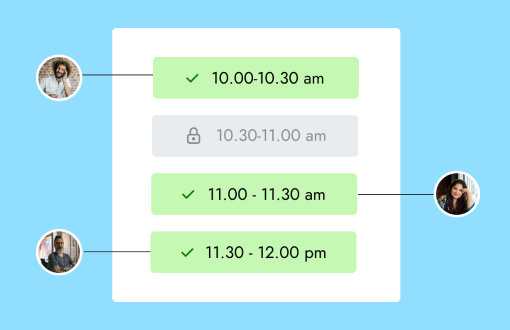
Use a scheduling link when one guest needs to choose from a host’s available times. Use a calendar poll when several participants must compare availability and agree on one time. The tools look similar, but the decision they support is different.
The short comparison
| Question | Scheduling link | Calendar poll |
|---|---|---|
| Who defines the available times? | The host | Usually the organizer proposes options |
| Who chooses? | One guest or booking party | Several participants express availability |
| What happens after selection? | The appointment can be confirmed immediately | The organizer may still need to choose the winning time |
| Best for | Consultations, lessons, viewings, interviews | Group meetings, committees, social plans |
| Main risk | Publishing more availability than the host wants | Slow responses and no clear final decision |
Choose a scheduling link for one-to-one appointments
A scheduling link works well when the host owns the calendar and the guest needs one appointment. Common examples include:
- a prospective client booking a discovery call;
- a student choosing a trial lesson;
- a buyer selecting a property-viewing time; or
- a candidate booking an interview with one interviewer.
The page can combine availability, duration, location, booking questions, and confirmation in one flow. The guest makes a valid choice, and the appointment is created without a second decision from the host.
Calenyo is built for this one-to-one pattern. It checks available slots, collects the event’s form fields, confirms the appointment, and gives the guest a secure management link.
Choose a poll when the group must agree
A poll is better when no single person can select on behalf of everyone. The organizer proposes several times and participants mark the ones they can attend.
Use a poll for:
- a project meeting with people from several companies;
- a volunteer committee;
- a team workshop; or
- a group event where attendance matters more than appointment capacity.
The poll gathers preferences; it does not always finish the scheduling job. Someone may still need to compare responses, break a tie, and send the final invitation.
Calenyo does not currently provide multi-participant calendar polling. If group consensus is the core problem, use a tool designed for polls.
Do not combine both unless the workflow needs it
Some teams run a poll to choose a recurring group time, then use a booking link for individual follow-up sessions. That is a sensible handoff because each tool has a separate job.
Using both for one appointment creates unnecessary steps. Do not poll a single client and then ask them to book the result again. Do not send a one-to-one booking link to a group and expect it to measure consensus.
A decision rule you can remember
Ask one question: Can one person confirm the meeting by choosing an available slot?
- If yes, send a scheduling link.
- If no, collect the group’s availability with a poll.
If a scheduling link fits, use the online booking page checklist to make the next step clear. If you are comparing Calenyo with a polling product, the Doodle alternative page explains the scope without pretending the two products are identical.