- 01
Customize an existing event
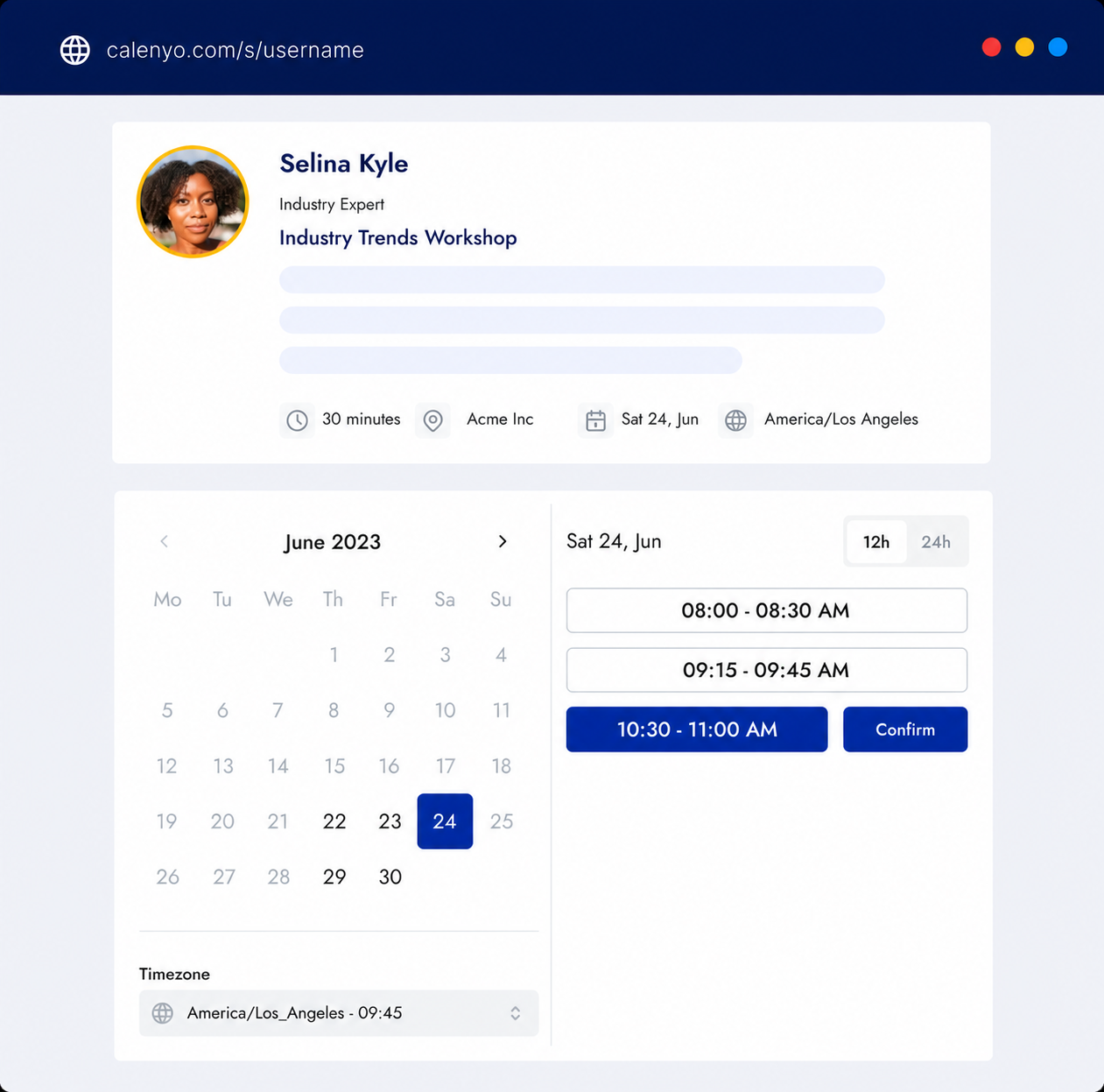
Start with Client consultation, which defaults to a 45-minute appointment and a 15-minute break. Rename it One-to-one office hours, manually set the duration to 15 minutes and change the break to 5 minutes for this example. Edit its description and add your agreed physical location or external call link.
- 02
Reserve the actual window
In weekly availability, enable only the weekday and 14:00–16:00 window you want to offer, using the event time zone. Review any date restrictions and calendar conflicts, then check the guest booking page before sharing. Weekly availability offers separate appointments; it does not book a recurring series for a guest.
- 03
Ask for useful preparation, then share
Add these suggested optional questions yourself: What topic would you like help with? What have you tried? What would make this appointment useful? Remove or edit the existing template questions to suit the session. Keep the form brief and non-confidential: no private student work, grades or personal records. Share one clearly labeled office-hours link with the people you intend to help.
A one-to-one consultation to review your goal, context, and useful next steps.
01Your NameRequired
02Your EmailRequired
03What would you like to achieve?Required
04Company or websiteOptional
You review the details and availability before publishing.